What Is a JSON Beautifier? Format JSON Online Easily
JSON has become the standard data format used by modern applications, APIs, and web services. However, JSON data is often returned in a compressed or minified format that can be difficult to read.
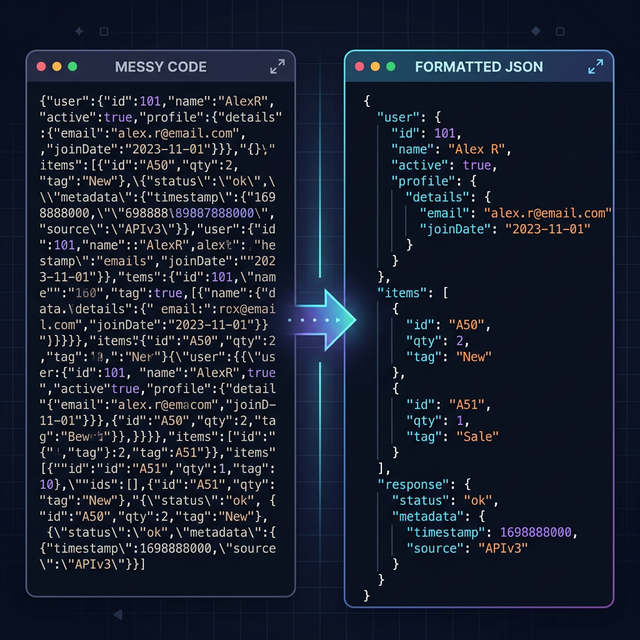
This is where a JSON beautifier becomes extremely useful. A JSON beautifier formats messy JSON data into a clean and readable structure, making it easier for developers to inspect, debug, and analyze.
In this guide, we will explain what a JSON beautifier is, how it works, and how you can beautify JSON online instantly.
What Is JSON?
JSON (JavaScript Object Notation) is a lightweight data-exchange format used for transmitting data between servers and applications. It is widely used in:
- Web APIs
- Mobile applications
- Backend systems
- Databases
- Configuration files
JSON is popular because it is simple, lightweight, and easy for machines to parse.
Example of JSON data:
{"name":"Json viewer","type":"json beautify tool"}
Although machines can read this easily, humans often find minified JSON difficult to read.
What Is a JSON Beautifier?
A JSON beautifier is a tool that formats JSON code by adding:
- indentation
- spacing
- line breaks
- structured formatting
This transforms compressed JSON into a human-readable format.
Example after beautifying JSON:
{
  "name": "John",
  "age": 30,
  "city": "New York"
}
Using a JSON beautifier online makes it much easier to understand the structure of JSON data.
Why Developers Use JSON Beautifiers
Developers often work with large API responses that contain complex JSON objects.
A JSON formatter helps developers:
- debug APIs faster
- inspect nested objects
- identify syntax errors
- improve code readability
- share structured data with teammates
Instead of manually formatting JSON, developers can simply paste the data into an online JSON formatter.
How to Beautify JSON Online
Beautifying JSON online is extremely simple. Follow these steps:
Step 1: Copy your JSON data.
Step 2: Paste the JSON into an online JSON beautifier tool.
Step 3: Click Beautify JSON.
The tool will instantly format the JSON with indentation and spacing.
JSON Beautifier vs JSON Viewer
Many developers confuse these two tools.
JSON Beautifier: Formats messy JSON code to make it readable.
JSON Viewer: Displays JSON data visually in a structured tree format.
Most modern tools combine both features so developers can beautify JSON and inspect data at the same time using a JSON viewer.
Common Problems with Raw JSON
Working with raw JSON can cause several issues:
- unreadable compressed data
- missing brackets
- syntax errors
- nested objects that are difficult to analyze
A JSON validator and beautifier solves these problems by formatting and validating the data.
Use an Online JSON Beautifier
Instead of installing software, you can simply use an online tool. Benefits include:
- instant formatting
- no installation required
- easy debugging
- fast processing
- free access
👉 You can try our JSON Beautifier and JSON Viewer tool to instantly format your JSON data.
Conclusion
JSON is a powerful data format used across modern applications, but raw JSON data can often be difficult to read. A JSON beautifier solves this problem by transforming compressed JSON into a structured and readable format.
Whether you are debugging APIs, inspecting data, or analyzing responses, a JSON beautifier helps developers work more efficiently. If you frequently work with JSON, using a reliable online JSON formatter and JSON viewer can significantly improve your workflow.
Published March 12, 2026 · © FreeToolDeck