Text to Base64 Guide: How Base64 Encoding and Decoding Works
Base64 is one of those formats that shows up everywhere in technical work, yet many people first encounter it through a practical need rather than a theory lesson. They want to convert text to Base64, inspect a Base64 string, or decode Base64 to text quickly without opening a terminal or writing a script. That is why an online Base64 converter is useful. It gives you a quick way to encode, decode, compare values, and understand what Base64 output actually looks like.
In this guide, we will look at what Base64 encoding is, when people use it, how to convert a string to Base64, how to decode Base64 back into readable text, and why URL-safe Base64 matters in some workflows. The goal is to make the topic practical, not overly abstract, so you can use the format with more confidence.
What Is Base64?
Base64 is an encoding method that represents data using a limited set of ASCII characters. It is often used when data needs to move through systems that handle text more reliably than raw binary. In simpler terms, Base64 takes input such as plain text and turns it into an encoded output string that is easier to transport in text-based environments.
That is why people search for terms like base64 encode online, text to Base64, string to Base64, and base64 to string. They usually want a quick way to transform or inspect content, not a long technical setup.
Why People Convert Text to Base64
There are many situations where it helps to convert text to Base64. Developers often use Base64 when testing payloads, reviewing tokens, checking app responses, or preparing values for transfer between systems. Students and learners use it to understand how encoded strings work. QA teams use it to compare encoded and decoded data during testing.
In all of these cases, the appeal of a browser-based tool is speed. A good online Base64 converter lets you encode and decode in seconds, which is often all you need.
How to Convert a String to Base64
If you want to convert string to Base64, the process is straightforward. You enter or paste the original readable text into the tool, and the output becomes a Base64-encoded string. This is useful for fast testing, examples, and quick verification work.
For many users, this is why phrases like encode string to Base64, string to Base64 online, and convert to Base64 online are so common. The intent is direct: they already have the text and want the encoded output immediately.
How to Decode Base64 to Text
Encoding is only one side of the workflow. Just as often, users need to take a Base64 value and turn it back into readable text. That is where Base64 to string or Base64-to-text decoding becomes important.
With the right tool, you can paste an encoded value and instantly see the original text. This is useful when debugging, inspecting test values, understanding examples, or checking whether the encoded content matches what you expect.
What a Base64 String Looks Like
Many users also search for a Base64 example, a Base64 string example, or a sample Base64 string. These searches usually come from people who want to recognize the format, test a converter, or understand what encoded output looks like in practice.
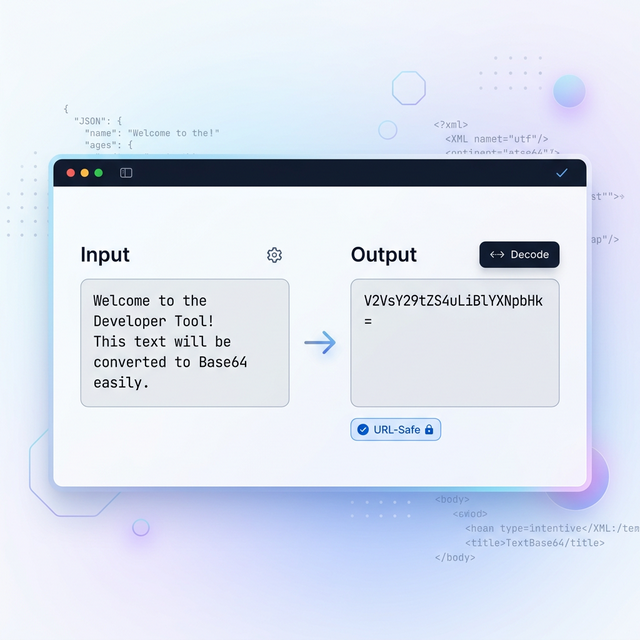
A Base64 string is typically made up of letters, numbers, and a small set of symbols. It often looks structured and machine-oriented compared with the original readable text. Seeing both the input and the encoded output side by side makes the concept much easier to understand.
What URL-Safe Base64 Means
Standard Base64 is useful, but some workflows require a safer format for URLs and web parameters. That is where URL-safe Base64 comes in. It adjusts the output so it work more cleanly inside links, tokens, query strings, and web-based transport layers.
If your converter includes a URL-safe option, that saves an extra step and makes the tool more practical for real web work. This matters for developers and testers who need the encoded value to survive copy-paste, transport, or parameter-based usage more cleanly.
When an Online Base64 Converter Is Most Useful
An online Base64 converter is most useful when speed matters more than setup. If you just need to encode a text string, decode a Base64 value, verify an example, or compare results, a browser-based tool is often the fastest option. You avoid switching contexts, installing packages, or writing one-off code for a tiny task.
That convenience is exactly why terms like online base64 encode, encode Base64 online, and base64 converter have consistent search demand. The use case is immediate and practical.
Final Thoughts
Base64 is simple once you see it in action. Whether your goal is to convert text to Base64, decode Base64 to text, generate URL-safe output, or understand a sample encoded string, the right tool makes the process much easier. Instead of treating Base64 as something abstract, you can use it directly, compare results instantly, and learn by doing.
If you need a quick and reliable way to work with encoded strings, use our Text to Base64 tool to encode, decode, swap values, and generate URL-safe output in one place.
Updated March 13, 2026 · © FreeToolDeck